Government Contract Alerts for Small Businesses

Government contract alerts for small businesses: Procura emails you when a new federal opportunity is a strong fit for your firm.

It reads each notice in full and rates it against your capability statement, not against a keyword list.

You spend your time on bids you can win.

7-day trial ยท or book a demo

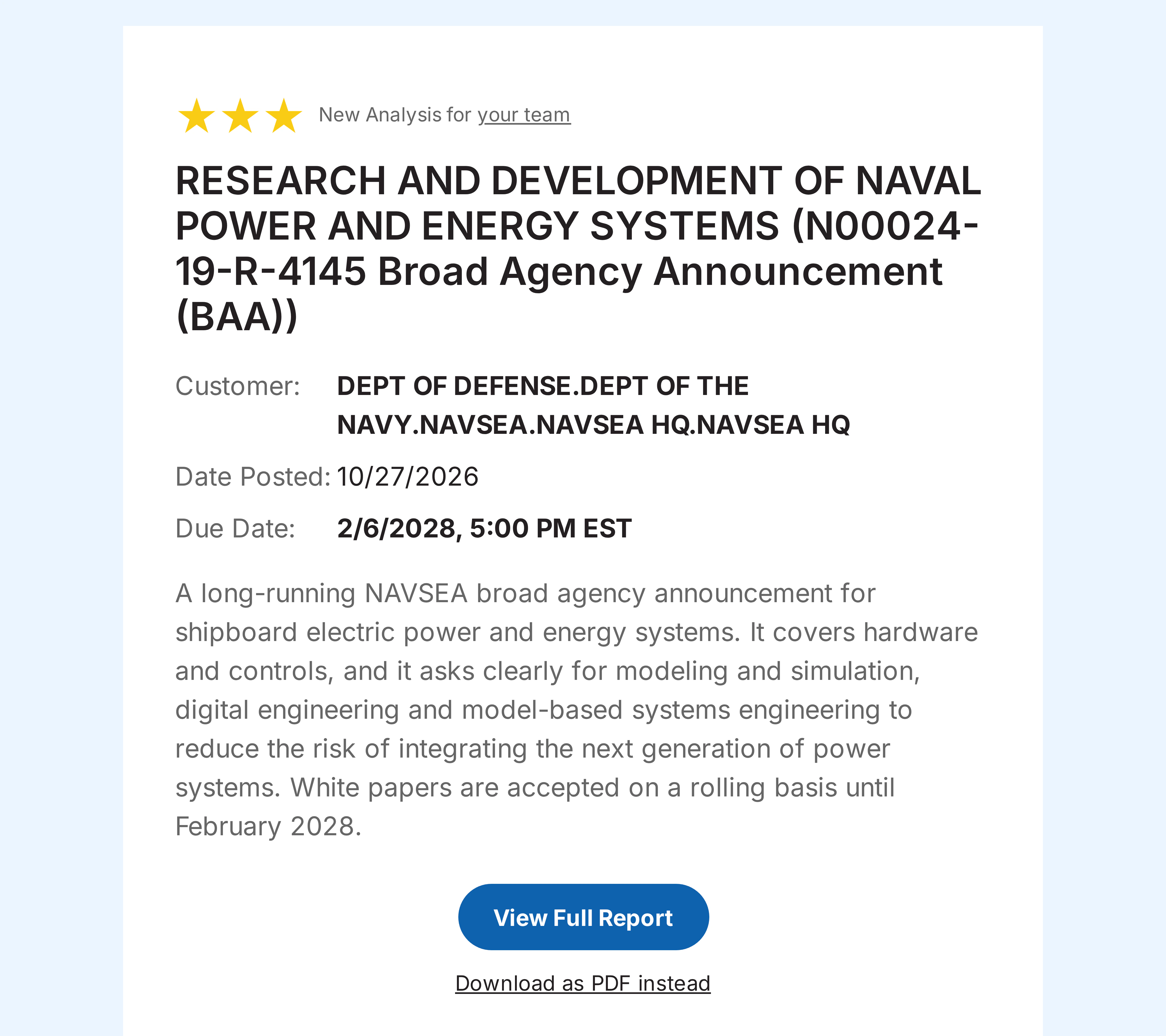
Government contract alerts for small businesses: a Procura alert email for a three-star opportunity
Alert email: title, agency, due date, short fit summary

How the alerts work

Government contract alerts in Procura take three steps and no saved searches.

  1. Add your capability statement to your team.

  2. Procura reads each new SAM.gov notice, attachments included, and rates its fit from 0 to 3 stars.

  3. When a notice rates 3 stars, everyone on your team with alerts on gets an email.

Each email goes out as soon as its analysis finishes.

When you first add your statement, Procura also rates the opportunities that are already open.

Rated against your capability statement

A keyword match tells you that a word appears in a notice. A fit rating tells you whether your firm can do the work.

  • Procura reads the full notice, attachments included.
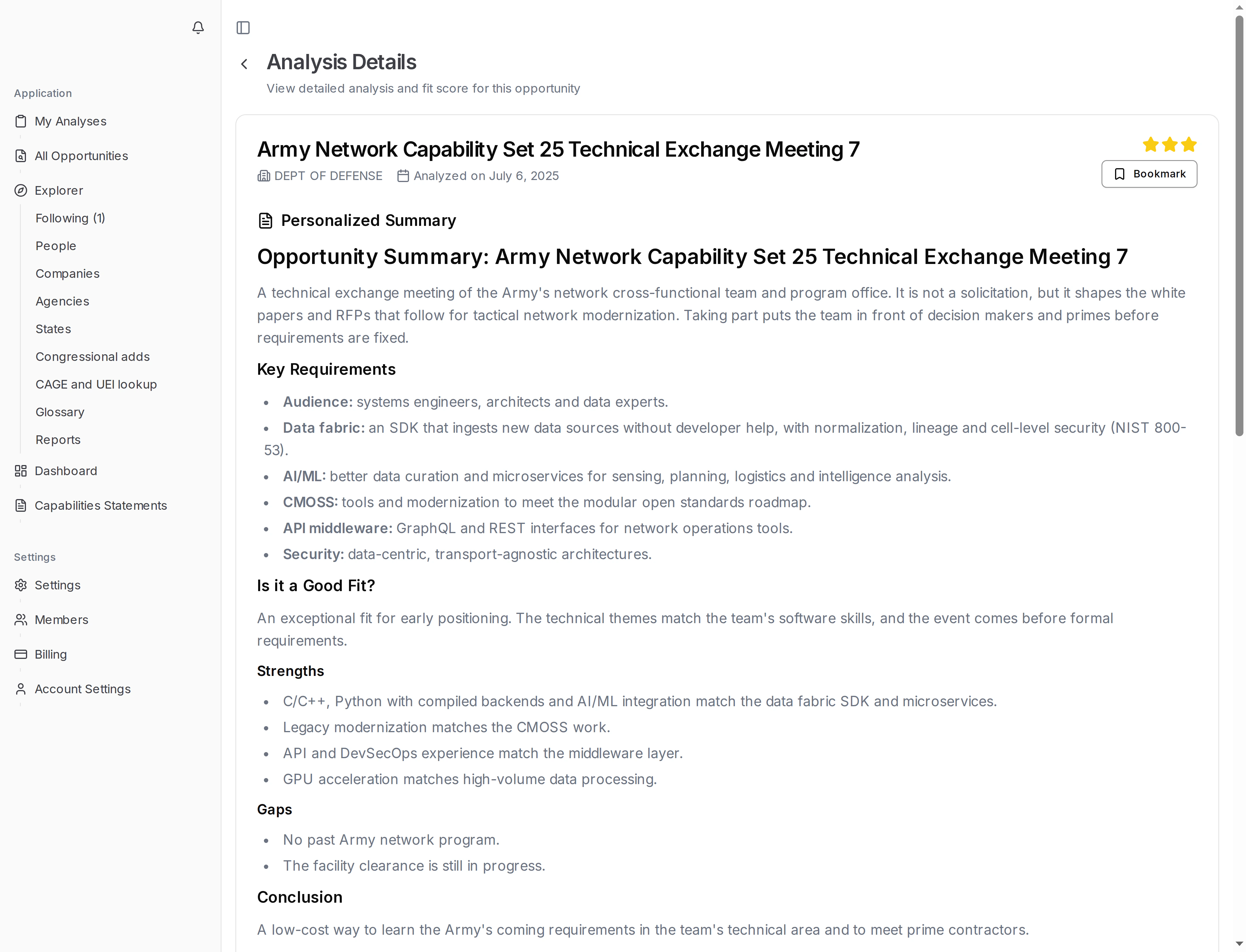
  • It rates the fit from 0 (not a fit) to 3 stars (exceptional fit).
  • It explains the rating in plain language, tied to your own statement.
Opportunity page showing a fit rating and the reasons for it
Opportunity page with a fit rating and its reasons

What each alert email shows

  • The opportunity title and the agency
  • The date posted and the due date
  • A short summary of why it fits your firm
  • A link to the full analysis in Procura, plus a PDF copy

The subject line names the opportunity, so you can sort your inbox at a glance.

When an amendment or a newer notice also rates 3 stars, you get an update email that says what changed.

Only three-star fits, one switch to turn them off

  • Alerts fire only on a 3-star fit.
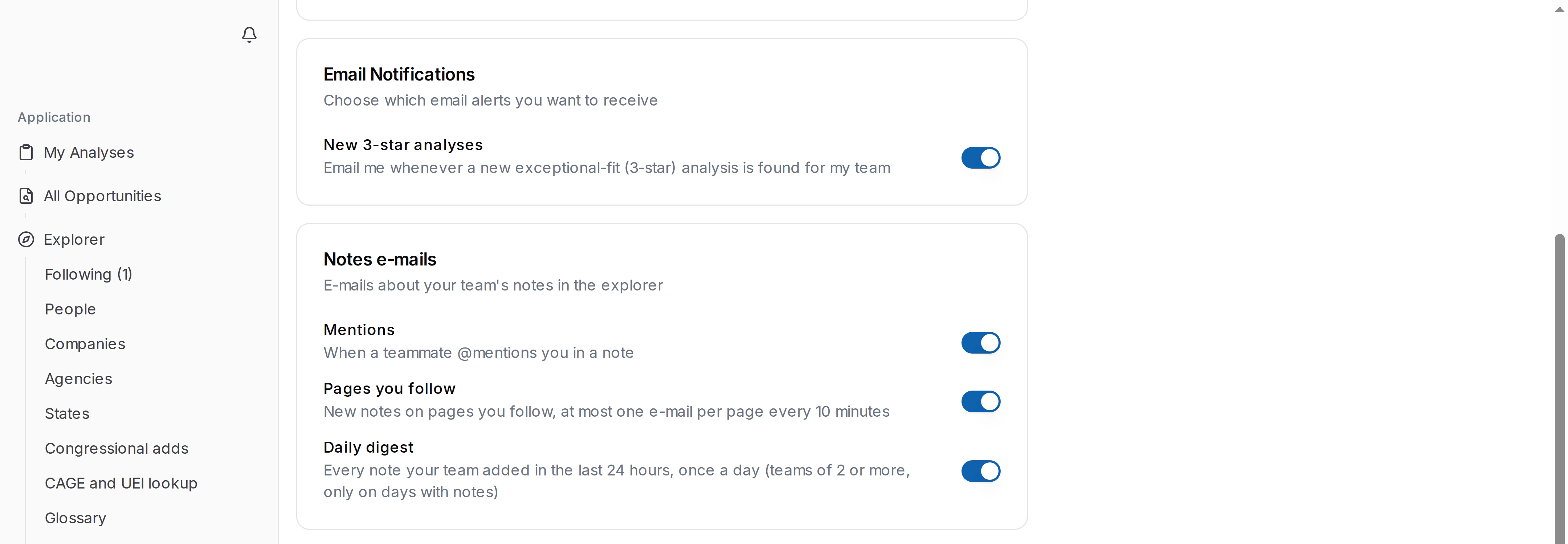
  • Alerts are on for each team member by default.
  • Each member turns them on or off in their own account settings.
  • There is no list of set-asides, NAICS codes or agencies to keep up to date. Your capability statement does the filtering.

Hold an 8(a) certification? See 8(a) contract opportunities matched to your firm.

Account setting that turns three-star alert emails on or off

Questions small businesses ask

Is a SAM.gov saved search enough?

A saved search matches the words and codes you enter. Procura compares what each notice asks for with what your firm does.

How many alerts will I get?

That depends on your statement and on what agencies post. You get one email per 3-star analysis; an amendment that also rates 3 stars gets its own email.

Can my whole team get them?

Yes. Every team member with alerts on gets the same email.

Alerts come with every analysis plan, including the 7-day trial.

Or book a demo to see alerts on your own capability statement.