Bid/No-Bid Software for Government Contractors
Bid/no-bid software for government contractors helps you make the bid or no-bid decision on each solicitation with the full text in front of you.
Procura rates the solicitation against your capability statement and answers the questions a capture lead asks.
You spend proposal hours only on the bids you keep.
A 30-minute call on your own capability statement
A go/no-go call on every opportunity
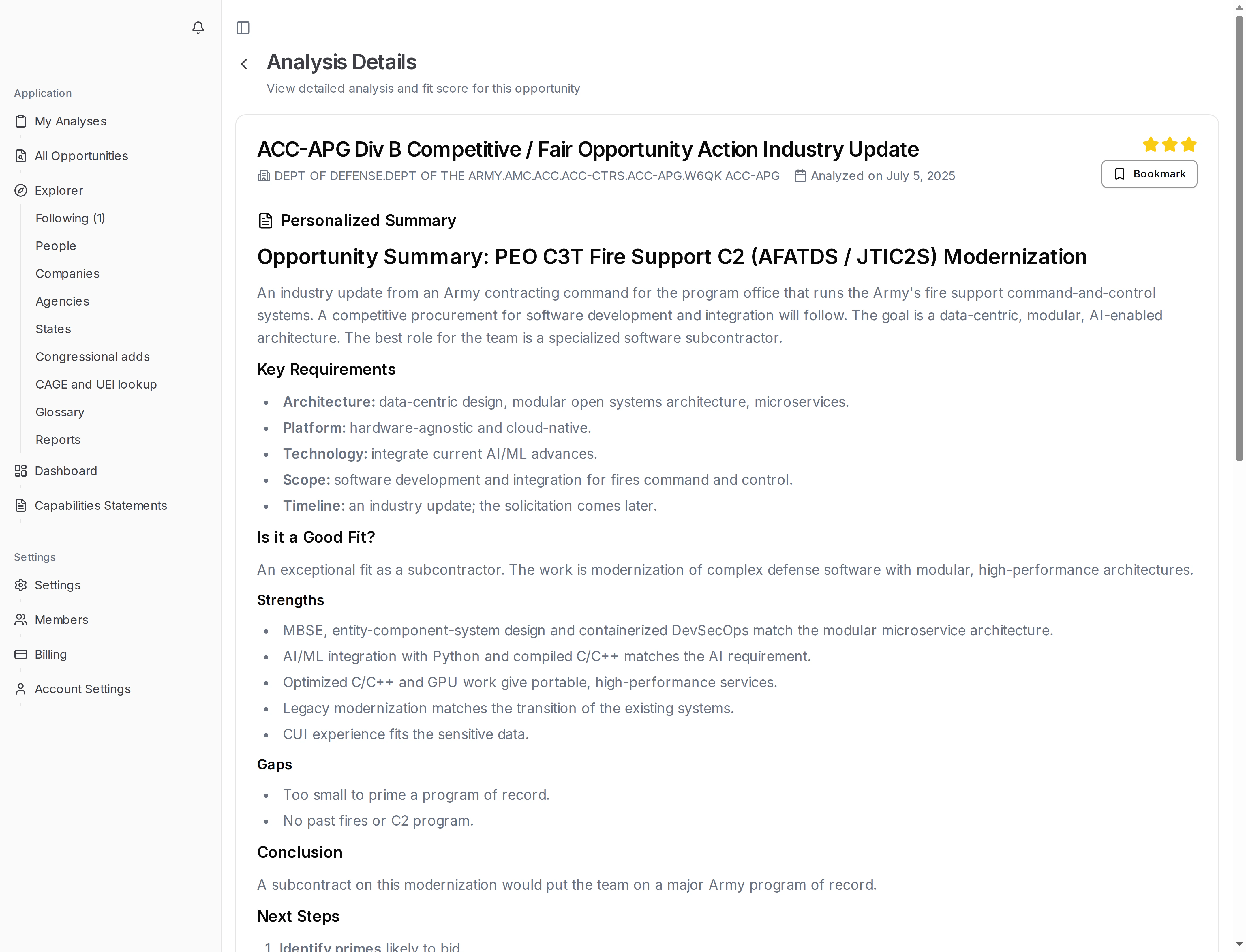
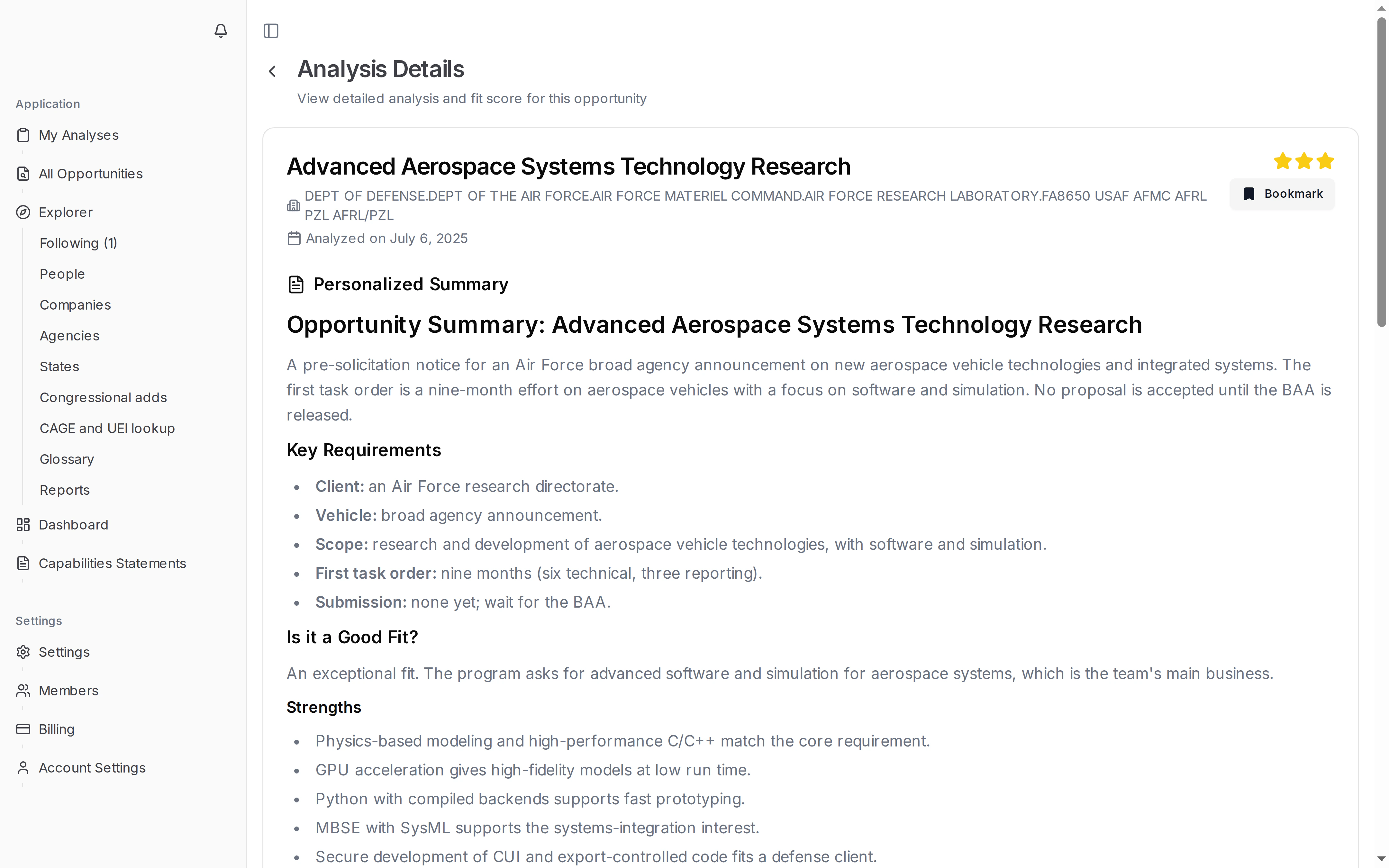
Each analysis gives your capture lead a starting point for the go/no-go call:
- A fit rating from 0 to 3 stars
- The reasons behind the rating, tied to your past work
- The key requirements to check before you commit
- Suggested next steps if you decide to bid
The rating does not make the decision for you. It shows where to look first, and your capture lead makes the call.
A poor fit is easier to drop when the reasons are written down. For the patterns behind lost bids, read why small businesses lose federal contracts →.
The questions a capture lead asks, answered
Every bid decision starts with the same few questions. Each analysis answers them for the solicitation in front of you:
- Is this work we already do?
- What exactly does the government ask for?
- What do we submit, and by when?
- If we bid, what comes next?
The answers come from the full solicitation package, attachments included. They are not drawn from the title and synopsis alone.
Your team starts from the answers instead of the full package, and can rule a notice in or out before anyone opens the statement of work.
Requirements and deadline in one view, set-aside on the notice
The analysis page puts the facts you check first in one place:
- The agency and the response deadline
- The key requirements and the type of response asked for
- A link to the full notice and its attachments
The set-aside type is shown on the opportunity notice, as the agency posted it.
When the notice changes, Procura rates the new version. Earlier versions stay in the history, so you can see what changed.
From rating to bid decision
A rating is the start of the decision, not the end. Procura keeps the next steps in the same place:
- Bookmark the analysis for yourself or for your whole team.
- Leave a feedback rating and a note on the analysis.
- Export the analysis as a PDF for your proposal team or a teaming partner.
- Open earlier versions of the analysis from its version history.
Your team sees the same analysis, so the go/no-go discussion starts from shared facts.
Bring a live solicitation; we rate it on the call.