8(a) Contract Opportunities Matched to Your Firm

8(a) contract opportunities, matched to your firm: Procura reads each new SAM.gov notice in full and rates how well it fits your capability statement.

Competitive 8(a) notices and 8(a) sole-source notices are read in full, like every other notice.

There is no 8(a) filter to set up: the set-aside type is shown on each notice, and your capability statement drives the rating.

7-day trial · or book a demo

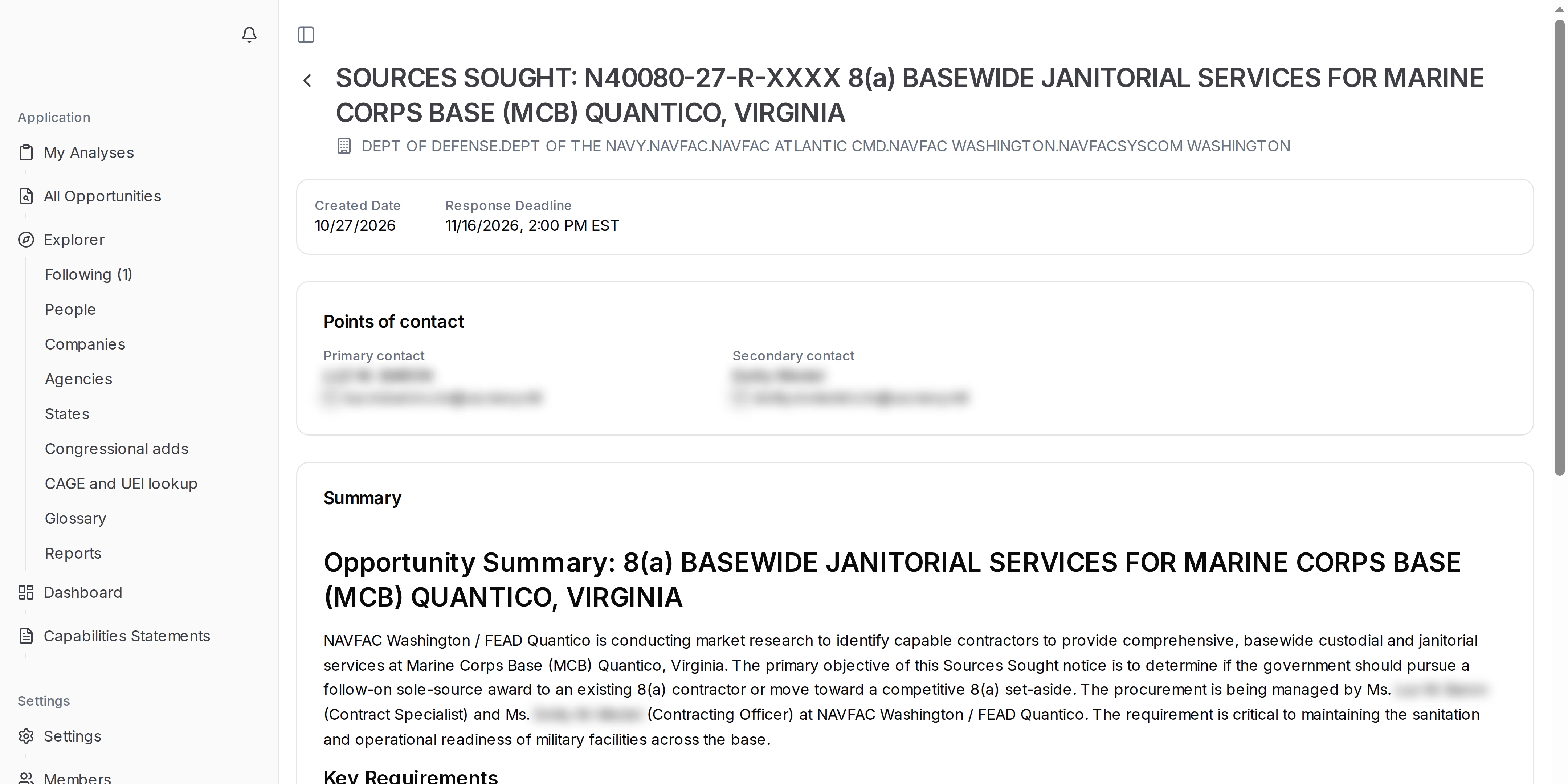
8(a) contract opportunities: an opportunity notice in Procura showing its 8(a) set-aside type
Opportunity notice for an 8(a) sources sought: title, agency, created date and response deadline

8(a) set-asides, shown on the opportunity notice

Notices reserved for SBA 8(a) participants are marked that way on SAM.gov. The set-aside type, as the agency posted it, is shown on the opportunity notice.

Each rated notice also gives you:

  • The fit rating, from 0 to 3 stars
  • The reasons, tied to your capability statement
  • A link to the full notice and its attachments

The 8(a) marking on each notice tells you who can bid.

A strong fit that is also reserved for 8(a) firms is work your firm can both do and bid on.

Sole-source and competitive 8(a) notices

An 8(a) notice can be competitive or sole-source. Procura rates both kinds the same way.

  • Competitive 8(a) notices: open to firms in the 8(a) program
  • 8(a) sole-source notices: they show which offices award 8(a) work directly
  • Both are read in full, attachments included, and rated against your statement
  • Sole-source dollar limits are set by SBA and the FAR. Check the current figure on SBA.gov (opens in a new tab) before you rely on it.
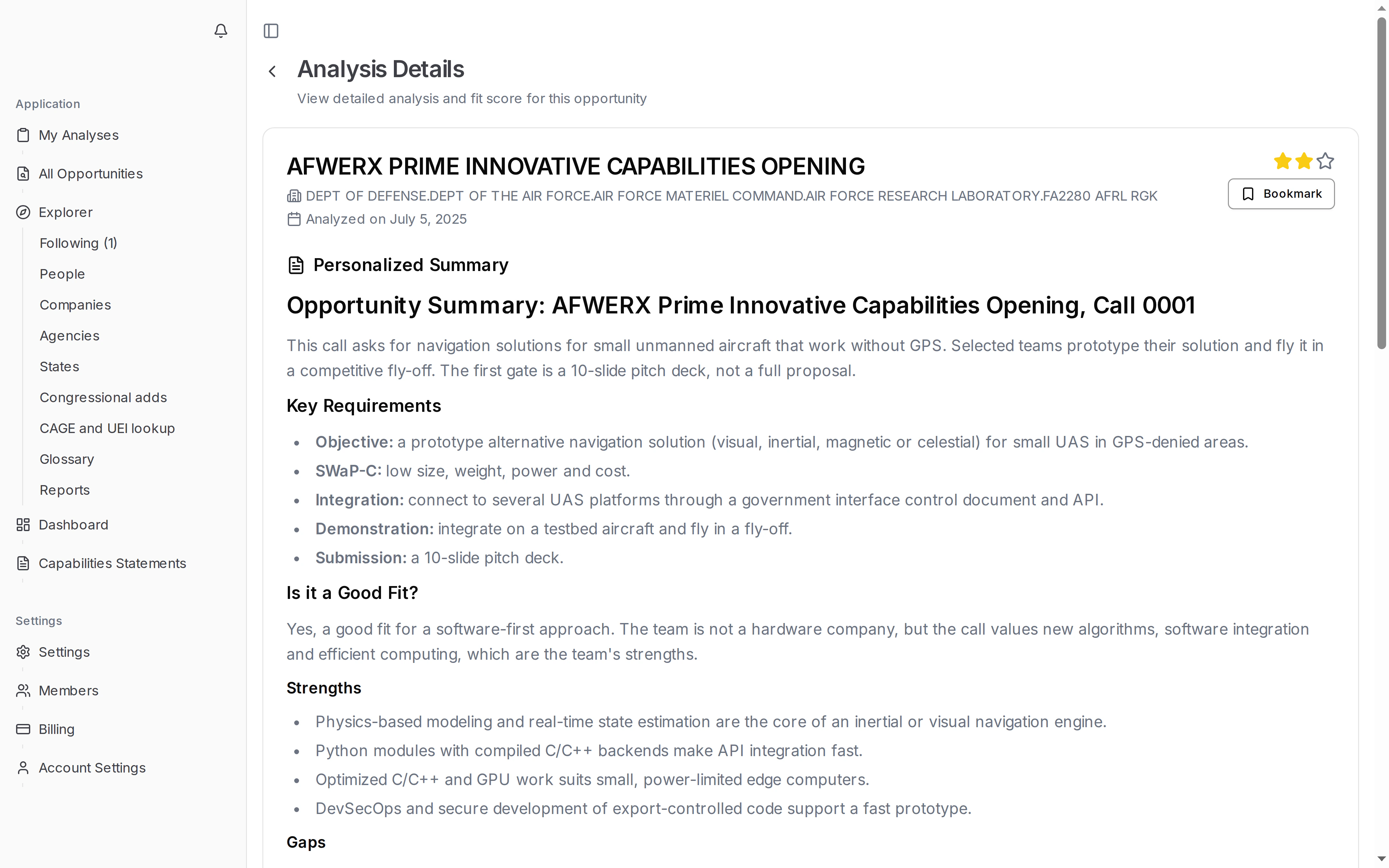
Procura analysis page showing the fit rating and reasons for a notice
Analysis page with the fit rating and its reasons for a notice

What changed for 8(a) firms in 2026

SBA suspended 8(a) firms that missed a data submission deadline in 2026, and later moved to terminate others. Our news posts follow each step and explain what it means for your status and your bids:

Pair 8(a) with your other certifications

If your firm holds more than one certification, Procura reads every notice the same way, whatever program it is reserved for.

  • SDVOSB, WOSB and HUBZone notices are rated against the same statement.
  • Full and open notices are rated too, so you can see work for prime or teaming bids.
  • One capability statement covers all of them.

For more on each program, read how to find small business set-asides with Procura. To get an email when a notice rates 3 stars, see government contract alerts for small businesses.

Keep that statement current, and every certification you hold is covered by the same ratings.

Or book a demo with your 8(a) capability statement.